What Files Should You Share with a CAD Outsourcing Company? A Complete Checklist
Outsourcing CAD design and drafting services is a proven way for manufacturers, engineering firms, architects, and product development companies to reduce costs, accelerate project delivery, and access specialized engineering expertise. However, the success of any CAD outsourcing project depends on one critical factor: providing the right project files and documentation from the beginning.
When essential design files, specifications, or reference documents are missing, engineering teams spend valuable time requesting additional information, increasing the likelihood of revisions, project delays, and unnecessary costs.
This guide explains exactly what files you should share with a CAD outsourcing company to ensure a smooth project workflow, accurate deliverables, and faster turnaround times.
Why Providing the Right Files Matters
A professional CAD outsourcing company relies on the information you provide to understand your design intent, manufacturing requirements, and project objectives. The more complete your project package is, the more efficiently engineers can begin working.
Providing the correct files helps:
- Reduce project turnaround time
- Minimize design revisions
- Improve drawing accuracy
- Ensure compliance with industry standards
- Streamline communication between engineering teams
- Avoid costly production errors
Whether you need 2D drafting, 3D modeling, CAD conversion, or product design support, sharing complete project information lays the foundation for successful collaboration.
Essential Files to Share with a CAD Outsourcing Company
1. Native CAD Files
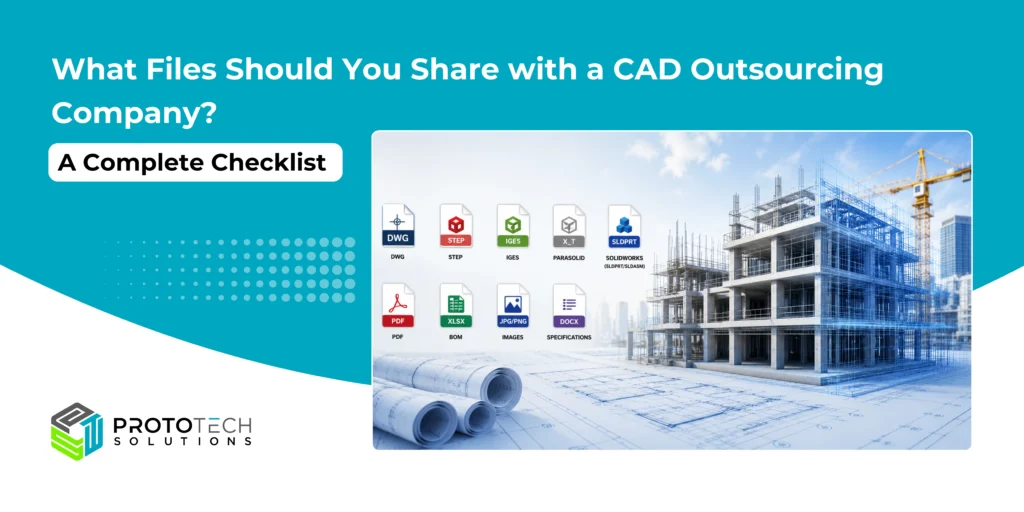
Whenever possible, provide the original CAD files created in your design software. Native files preserve the complete design history, editable features, assemblies, constraints, and metadata, making modifications much easier than working from neutral formats.
Common native CAD formats include:
- AutoCAD (.DWG, .DXF)
- SolidWorks (.SLDPRT, .SLDASM)
- Autodesk Inventor (.IPT, .IAM)
- CATIA (.CATPart, .CATProduct)
- Siemens NX (.PRT)
- PTC Creo (.PRT)
- Solid Edge (.PAR, .ASM)
- Fusion
- Onshape
Native files allow engineers to make design changes efficiently without having to recreate geometry.
2. Neutral CAD Exchange Files
If native files are unavailable, neutral CAD formats provide an excellent alternative for sharing geometry across different CAD platforms.
Common exchange formats include:
- STEP (.STP, .STEP)
- IGES (.IGS, .IGES)
- Parasolid (.X_T, .X_B)
- JT
- STL
- OBJ
These formats preserve model geometry while allowing engineering teams to work across multiple CAD applications.
3. 2D Engineering Drawings
Detailed engineering drawings provide manufacturing information that may not exist in the 3D model alone.
Include drawings containing:
- Dimensions
- Tolerances
- GD&T annotations
- Section views
- Welding symbols
- Surface finish requirements
- Revision history
Engineering drawings help eliminate ambiguity and ensure manufacturing accuracy.
4. Assembly Files
For products consisting of multiple components, include complete assembly files along with all referenced part files.
Assembly information helps engineers understand:
- Component relationships
- Assembly constraints
- Part hierarchy
- Motion requirements
- Interference conditions
Incomplete assemblies often lead to unnecessary clarification requests and project delays.
5. Bill of Materials (BOM)
A Bill of Materials provides valuable information about every component within the assembly.
A complete BOM typically includes the following:
- Part numbers
- Material specifications
- Component descriptions
- Quantities
- Standard hardware
- Purchased components
This information enables accurate documentation and supports manufacturing workflows.
6. Design Specifications and Project Requirements
Technical specifications explain the design’s purpose and establish clear project expectations.
Include information such as:
- Functional requirements
- Design objectives
- Material preferences
- Manufacturing process
- Performance criteria
- Applicable design standards
- Target tolerances
The more context engineers receive, the better they can deliver solutions aligned with your objectives.
7. Reference Images, Sketches, and Markups
Even simple sketches or marked-up PDFs can significantly improve project understanding.
Helpful references include:
- Product photographs
- Hand sketches
- Marked-up drawings
- Whiteboard concepts
- Existing product images
- Customer comments
Visual references often communicate design intent more effectively than written descriptions alone.
8. Compliance Standards and Manufacturing Guidelines
Many engineering projects must comply with national or international standards.
Depending on your industry, include applicable standards such as the following:
- ISO
- ASME
- ANSI
- DIN
- ASTM
- BS
- IEC
Providing compliance requirements early helps ensure drawings and models meet regulatory and manufacturing expectations.
Organize Your Project Before Sharing
Well-organized project files reduce onboarding time and help engineering teams locate information quickly.
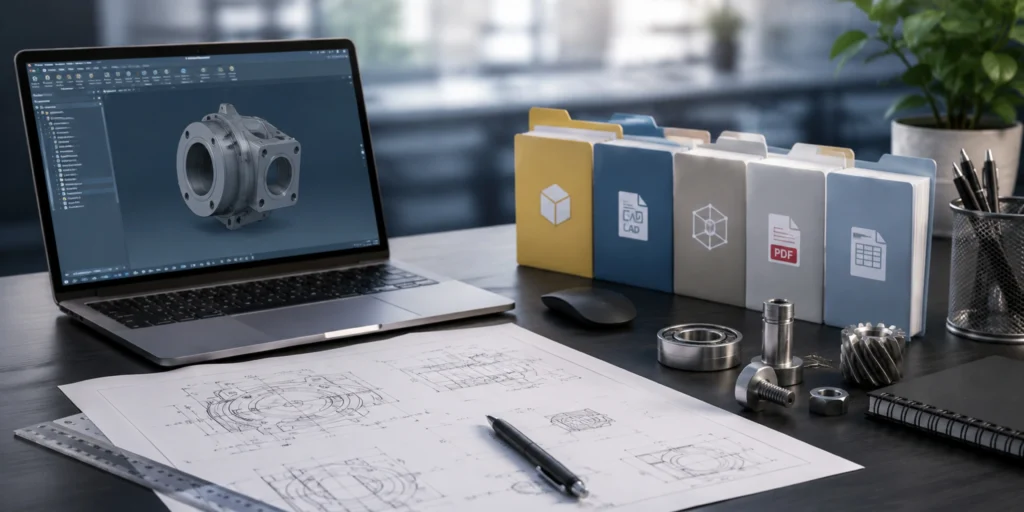
A recommended folder structure includes:
- CAD Models
- Drawings
- Assemblies
- BOM
- Specifications
- Images
- Manufacturing Documents
- Standards
- Previous Revisions
Using clear file names and revision numbers also helps prevent confusion during project execution.
Common Mistakes to Avoid
Many CAD outsourcing delays result from incomplete project data.
Avoid these common mistakes:
- Sending outdated drawing revisions
- Omitting linked assembly components
- Missing material specifications
- Providing low-resolution reference images
- Excluding tolerance requirements
- Mixing metric and imperial units
- Forgetting manufacturing notes
- Sharing incomplete Bills of Materials
Reviewing your project package before submission can significantly reduce engineering questions and revision cycles.
Protect Your Intellectual Property
Professional CAD outsourcing companies understand the importance of protecting confidential engineering data.
Before sharing project files, ensure your outsourcing partner offers:
- Non-Disclosure Agreements (NDAs)
- Secure file transfer methods
- Controlled access to project data
- Version management
- Confidential project handling
Working with an experienced outsourcing partner provides confidence that your intellectual property remains protected throughout the project lifecycle.
Why Global Companies Choose ProtoTech Solutions

Successful CAD outsourcing begins with proper project preparation. Sharing complete CAD models, engineering drawings, assemblies, specifications, Bills of Materials, and compliance requirements allows your outsourcing partner to understand your design intent from day one.
Choosing the right CAD outsourcing partner is about more than technical capability—it requires industry experience, engineering expertise, and a commitment to quality.
At ProtoTech Solutions, we are a leading provider of CAD design and drafting services for clients worldwide. Our engineering team has successfully delivered projects across manufacturing, automotive, architecture, industrial equipment, construction, and product development industries.
We work with leading CAD platforms and support a wide range of native and neutral file formats, enabling seamless collaboration regardless of your design environment.
Every project follows well-defined engineering workflows and is delivered in accordance with applicable national and international compliance standards.
Whether you need 2D drafting, 3D CAD modeling, CAD conversion, reverse engineering, or ongoing engineering support, providing the right project files enables our experts to deliver accurate, production-ready results efficiently.
If you are planning your next CAD design or drafting project, investing a little time in organizing your files before outsourcing can save countless hours later, helping your team move from concept to production faster and with greater confidence.
Connect with our experts today and consult with us about your requirements to get the perfect AEC and manufacturing solutions for your project.