10 Signs Your CAD Interoperability Workflow Is Quietly Breaking Your Models
What is CAD interoperability?
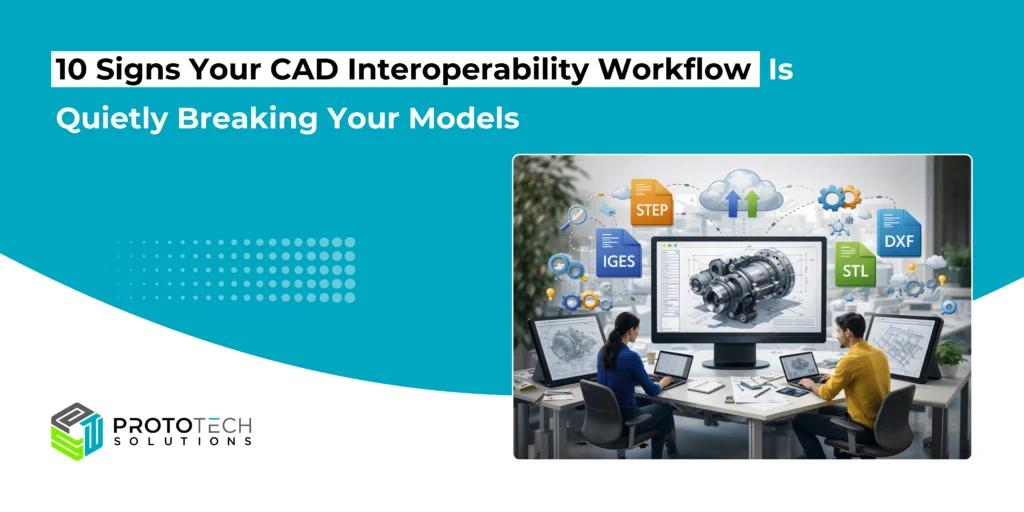
CAD interoperability refers to the capability of diverse computer-aided design tools to share 3D models, 2D drawings, and associated data through neutral formats such as STEP, IGES, or JT. Different CAD kernels, like Parasolid, ACIS, or Open CASCADE, interpret geometry and features variably, so robust translation preserves parametric history, tolerances, and assembly constraints. Without it, engineers face data corruption during collaborative workflows.
Benefits in Practice
Seamless interoperability cuts rework by 20-30%, speeds collaboration across teams, and supports downstream applications like FEA, CNC, or AR/VR rendering. Cloud platforms and AI-driven translators further enhance real-time data sync, reducing file size bloat and validation errors.
Key Challenges
File translations often introduce geometry distortions, missing faces, or exploded assemblies due to proprietary formats clashing. Metadata like materials or custom properties vanish. while faceting degrades NURBS surfaces into meshes unsuitable for simulation. Standards evolve, but legacy tools amplify risks in multi-vendor environments.
CAD interoperability should feel boring in the best way. Export, import, validate, move on. But in real-world engineering workflows, “mostly fine” translations can quietly chip away at model integrity. A tiny topology change here, a missing attribute there, and suddenly, manufacturing, simulation, visualization, or BIM teams are troubleshooting problems that didn’t exist in the source file.
If you’re moving data between systems (e.g., SolidWorks ↔ NX, CATIA ↔ Creo, Inventor ↔ Revit, or STEP/JT pipelines), watch for these warning signs. They are the early indicators that your CAD interoperability workflow is breaking models, without anyone noticing until deadlines get tight.
1) You’re seeing micro-gaps, sliver faces, or non-manifold edges
If translated solids arrive with tiny gaps, extra edges, or “knife-like” faces, you’re likely dealing with tolerance mismatches and healing side effects. These issues may not be visible at first glance, but they can crash meshing, fail Boolean ops, and derail toolpath creation.
2) Features turn into “dumb solids” (and no one questions it)
Neutral formats often strip parametric history, but if your downstream teams depend on editable features—holes, fillets, patterns—losing design intent becomes expensive. A model that imports as a single lump might look correct, yet becomes painful to modify and slower to iterate.
3) Fillets/chamfers fail, disappear, or change radius
When edge blends don’t survive translation, it’s rarely random. Small fillets are especially sensitive to kernel differences and tolerance settings. Missing blends can change fit, safety, and manufacturability—and they often surface only when someone tries to run interference checks or generate drawings.
4) Holes shift, merge, or lose thread/callout data
A hole that’s 0.2 mm off-center is still “a hole” visually—but not in assembly. Even worse, thread metadata and hole callouts can get dropped, forcing teams to re-annotate manually. If your workflow regularly loses PMI or MBD info, that’s a big interoperability red flag.
5) Surface normals flip or shading looks “inside out”
If renders look odd—dark patches, inverted shading, or “inside-out” faces—your surface orientation may be corrupted. This is a common hidden failure for visualization, AR/VR, and downstream polygon conversion pipelines, and it can also affect simulation boundary conditions.
6) Assemblies import with broken constraints or wrong positions
A translated assembly that loads but arrives exploded, misaligned, or with missing mates is not “close enough.” Bad assembly structure can break BOM accuracy, clash detection, and digital mockups. Often, the root cause is inconsistent coordinate systems, lost constraints, or naming changes.
7) Mass properties no longer match the source
If volume, surface area, or center of gravity changes after translation, treat it as a serious defect—not a rounding error. This can happen when models become sheet bodies instead of solids, when small features vanish, or when healing modifies geometry. Any mass shift can cascade into simulation and costing mistakes.
8) You’re manually re-healing geometry in every project
Occasional healing is normal. Needing the same repair checklist on every import is not. If your engineers routinely stitch surfaces, close gaps, remove slivers, or rebuild faces, your interoperability workflow is acting like a geometry “lottery,” and productivity is paying the price.
9) Metadata gets stripped: layers, materials, colors, names, PMI
Interoperability isn’t only geometry. Losing layers, part names, materials, color coding, or PMI can quietly break downstream processes like manufacturing planning, inspection, and PLM alignment. If teams keep rebuilding structure and attributes, you’re losing valuable digital continuity.
10) Problems show up late: CAM, FEA, or BIM teams catch them first
The most expensive sign is timing. When translation issues are discovered downstream—during meshing, toolpath generation, coordination, or fabrication—the fix costs more and trust drops fast. Late-stage failures usually mean your validation steps are too light (or missing entirely).
How to stabilize your CAD interoperability workflow
A reliable workflow typically includes consistent export/import settings, tolerance alignment, format selection based on use case (e.g., STEP vs. Parasolid vs. JT), automated geometry checks (solids, gaps, self-intersections), and attribute/PMI validation. Most importantly, validation should happen immediately after translation—before models touch manufacturing, simulation, or BIM.
When CAD translation becomes a recurring source of rework, ProtoTech Solutions helps you regain control. Our engineering-focused teams support CAD interoperability through robust conversion pipelines, geometry healing and validation, and production-ready model preparation for CAD, CAM, CAE, and BIM.
Whether you are modernizing legacy data, integrating multi-CAD ecosystems, or building a dependable exchange process for partners and suppliers, we help you deliver cleaner models, faster handoffs, and fewer downstream surprises. Contact us today for more information.