
Why STEP Files Are the Backbone of Cross-Platform CAD Collaboration

In modern engineering and product development, collaboration rarely happens within a single software ecosystem. Mechanical engineers, industrial designers, architects, and manufacturing teams often work with different CAD platforms depending on their industry requirements and workflows.
A design may begin in one CAD system, get refined in another, and finally move into manufacturing or BIM platforms. Without a reliable neutral format, transferring complex 3D models between these systems would be inefficient, error-prone, and sometimes impossible.
This is where the STEP file format becomes essential.
The Standard for the Exchange of Product Data (STEP) has become the backbone of cross-platform CAD collaboration because it allows engineers to share precise 3D models across different software tools while preserving geometry, structure, and critical design information.
What is a STEP File?
STEP files use the extensions .STEP or .STP and are based on the ISO standard ISO 10303, developed to enable consistent product data exchange between different CAD systems.
Unlike proprietary file formats that are restricted to specific software environments, STEP acts as a neutral CAD format, allowing models to move across platforms without losing key information.
STEP files can contain:
- Precise 3D geometry
- Assembly structures
- Product metadata
- Surface and solid representations
- Manufacturing-related information
Because of its reliability and accuracy, STEP is widely used in mechanical engineering, aerospace, automotive, industrial design, and BIM workflows.
The Challenge of Cross-Platform CAD Collaboration
Engineering teams today frequently use different CAD tools depending on project requirements.
For example:
- A product may be designed in SolidWorks
- Complex surfaces refined in CATIA
- Simulation performed in Creo
- Manufacturing planning done in NX
- Architectural coordination completed in Revit
Each of these systems uses its own native file format, making direct collaboration difficult.
Common problems include:
- Geometry corruption during file conversion
- Missing assemblies or component structures
- Loss of parametric data
- Broken surfaces or topology errors
- Incompatible file versions
Without a universal exchange format, teams often waste significant time fixing imported models instead of focusing on engineering tasks.
How STEP Files Solve Interoperability Issues

STEP was designed specifically to address interoperability challenges in CAD environments.
By using a standardized representation of product data, STEP files allow models to move between CAD platforms with minimal loss of information.
Key benefits include:
1. Accurate Geometry Preservation
STEP maintains precise solid and surface geometry, ensuring that imported models remain usable for downstream processes such as:
- Design modifications
- Simulation
- Manufacturing preparation
Unlike mesh formats such as STL or OBJ, STEP files preserve exact CAD geometry, which is essential for engineering workflows.
2. Consistent Assembly Structure
Many engineering projects involve complex assemblies with hundreds or thousands of components.
STEP files can preserve:
- Component hierarchy
- Part relationships
- Assembly positioning
This ensures that when a model moves from one CAD system to another, the entire assembly structure remains intact.
3. Cross-Platform Compatibility
One of STEP’s biggest strengths is its broad industry support.
Major CAD platforms support importing and exporting STEP files, including:
- SolidWorks
- CATIA
- Creo
- Siemens NX
- Autodesk Revit
- Autodesk Fusion
- Autodesk Inventor
This compatibility makes STEP one of the most reliable formats for multi-platform design collaboration.
4. Long-Term Data Accessibility
Native CAD formats can become obsolete as software versions evolve.
Because STEP is an international ISO standard, it provides a stable way to archive and exchange product data for the long term.
Many organizations use STEP files for:
- Digital product archives
- Regulatory compliance documentation
- Long-term engineering data preservation
STEP in Real-World Engineering Workflows
STEP plays a critical role in real-world engineering and manufacturing pipelines.
1. Product Design Collaboration
A mechanical design team may create a product model in SolidWorks and share it with suppliers who use different CAD platforms.
By exporting the model as a STEP file, suppliers can open the design in their own tools without compatibility issues.
2. Aerospace and Automotive Engineering
Industries such as aerospace and automotive often involve large, multi-company supply chains.
STEP allows:
- OEM manufacturers
- Component suppliers
- Engineering consultants
to exchange precise product models without requiring everyone to use the same CAD system.
3. BIM and Mechanical Coordination
In architecture and construction projects, mechanical components created in mechanical CAD systems may need to be integrated into BIM environments.
Using STEP files enables teams to bring complex engineering models into platforms such as Revit for coordination with building systems.
STEP vs Other CAD Exchange Formats
Although several neutral CAD formats exist, STEP remains the most widely adopted.
| Format | Strengths | Limitations |
| STEP (.STEP/.STP) | High geometry accuracy, assembly support, and industry standard | Larger file sizes |
| IGES (.IGS) | Older neutral format | Less reliable geometry handling |
| STL (.STL) | Simple mesh format for 3D printing | No parametric or assembly data |
| OBJ (.OBJ) | Good for visualization | Not ideal for engineering precision |
Among these, STEP provides the best balance of accuracy, compatibility, and reliability for professional engineering workflows.
STEP File Import / Export Plugins
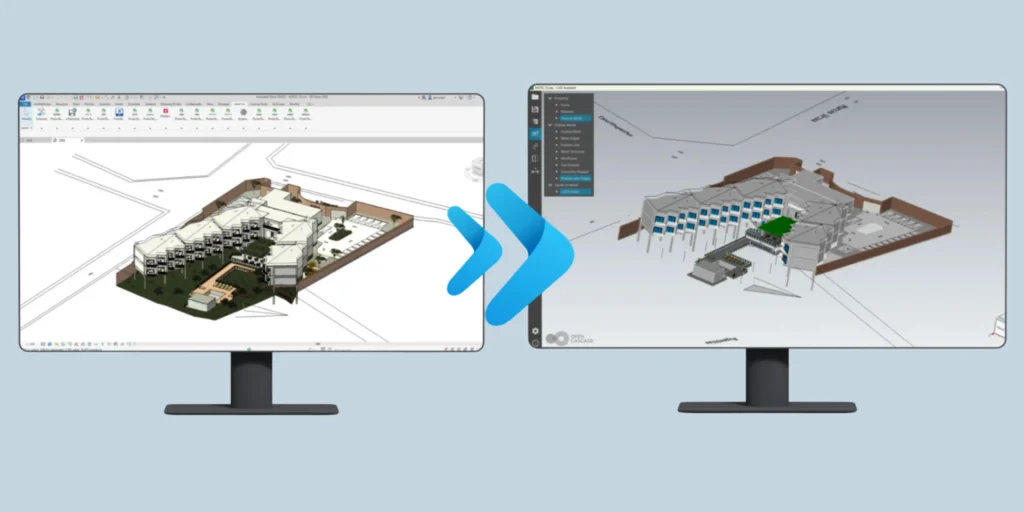
At ProtoTech Solutions, our experienced CAD professionals have developed a range of powerful import/export plugins for your favorite Autodesk AutoCAD and Revit to help users work seamlessly with multiple 3D formats.
One of our most popular products is the STEP Import & Export Plugin, widely used by CAD design professionals who need to exchange precise 3D models with other CAD and engineering platforms.
Try Before You Decide!
We provide a FREE trial for both STEP Import and Export plugins, so you can explore the full capabilities before making a decision.
Revit STEP Export Free Trial: https://prototechsolutions.com/3d-products/revit/step-exporter/
AutoCAD STEP Export Free Trial: https://prototechsolutions.com/3d-products/autocad/step-exporter
Revit STEP Import Free Trial: https://prototechsolutions.com/3d-products/revit/step-importer/
With this plugin, users can easily import STEP models into the platform or export CAD designs to STEP format, enabling smoother data exchange across design and manufacturing environments.
Conclusion
In a world where engineering teams rely on diverse CAD tools, seamless collaboration depends on reliable data exchange.
STEP files have become the backbone of cross-platform CAD collaboration because they:
- Preserve precise 3D geometry
- Maintain assembly structures
- Enable compatibility between major CAD platforms
- Support long-term engineering data exchange
Whether teams are working in SolidWorks, CATIA, Creo, NX, or Revit, STEP ensures that complex models can move smoothly between systems without compromising accuracy.
For organizations focused on efficient product development and global collaboration, adopting STEP as a standard exchange format is no longer optional; it is essential.
Do you need custom plugins for your CAD software? At ProtoTech, our CAD professionals develop custom tools as per your design workflow requirements. Request for custom solutions