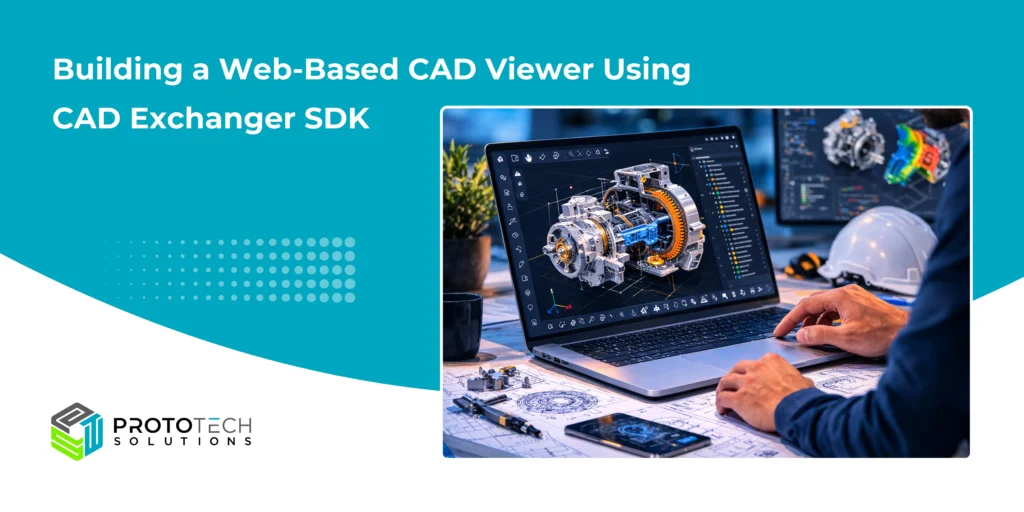
Building a Web-Based CAD Viewer Using CAD Exchanger SDK
As engineering platforms increasingly shift to cloud-based, SaaS-driven ecosystems, demand for web-based CAD visualization has grown rapidly. Engineering teams, product managers, suppliers, and stakeholders now expect to view and interact with complex CAD models directly within a browser without installing heavy desktop CAD applications. As a result, modern engineering platforms are investing in web CAD viewers that enable seamless design collaboration, faster product reviews, and improved accessibility to engineering data.
To support these capabilities, many development teams rely on advanced CAD data processing technologies such as those developed by CADEX, the company behind the CAD Exchanger SDK. CADEX was founded in 2014 by Roman Lygin. CAD Exchanger provides developers with robust APIs for CAD data import, conversion, lightweight visualization, and web-ready geometry processing.
Today, CAD Exchanger solutions empower hundreds of thousands of end-user seats worldwide through software vendors, enabling applications that require reliable CAD data translation, lightweight model generation, and scalable 3D visualization pipelines.
However, building a high-performance web CAD viewer is still a complex task. Engineering models often contain large assemblies, detailed B-Rep geometry, and millions of polygons, which can significantly impact performance when rendered in browser environments.
At ProtoTech Solutions, we have extensive experience working with CAD Exchanger SDK to develop custom web-based CAD viewers and visualization platforms for engineering SaaS applications. In this article, we explore how engineering teams and SaaS platforms can leverage CAD Exchanger SDK to build high-performance web-based CAD viewers, generate lightweight models, and implement scalable visualization pipelines.
The Growing Need for Web-Based CAD Visualization
Modern engineering organizations are shifting toward collaborative and cloud-driven development environments. Engineers, product managers, suppliers, and stakeholders increasingly need access to design data without installing specialized CAD software.
A web CAD viewer enables:
- Instant model visualization in the browser
- Design reviews without installing CAD software
- Cross-team collaboration across devices
- Integration with SaaS engineering platforms
Industries using web CAD viewers include:
- PLM platforms
- Construction and BIM collaboration tools
- Digital twin platforms
- Manufacturing workflow systems
- Engineering SaaS products
For SaaS engineering platforms, a robust CAD viewer is essential for design analysis, collaboration, and workflow automation.
Core Components of a Web-Based CAD Viewer
Developing a scalable web CAD viewer requires a carefully designed architecture that balances performance, compatibility, and visualization quality.
- CAD Data Processing
- Lightweight Model Generation
- Web Visualization Pipeline
Each layer plays an important role in delivering a seamless browser-based experience.
1. Creating a Web CAD Viewer
The first step in building a web CAD viewer is enabling the platform to read and interpret CAD models from multiple formats.
Engineering teams commonly work with formats such as:
- STEP
- IGES
- SolidWorks
- CATIA
- JT
- Parasolid
- IFC
Handling these formats independently can be extremely complex. CAD Exchanger SDK simplifies this process by providing a unified CAD data access layer.
Using the SDK, developers can:
- Import CAD models from multiple formats
- Extract geometry, topology, and metadata
- Access assembly hierarchies and part structures
- Convert CAD data into visualization-friendly formats
This enables engineering platforms to support multi-CAD interoperability, which is essential in modern product development ecosystems.
Typical Workflow
Step 1: Upload CAD Model
Users upload a CAD file to the SaaS platform.
Step 2: CAD Parsing
CAD Exchanger reads the model structure, including:
- Assemblies
- Parts
- Geometry
- Metadata
Step 3: Geometry Conversion
The model is converted into a lightweight visualization format.
Step 4: Web Rendering
The viewer displays the model using WebGL-based rendering.
Key Viewer Capabilities
A modern web CAD viewer should support:
- 3D model navigation (pan, zoom, rotate)
- Assembly tree exploration
- Part selection and highlighting
- Section views
- Measurement tools
- Model metadata inspection
By integrating the CAD Exchanger SDK, developers avoid building complex CAD parsing logic from scratch.
2. Generating Lightweight Models for Web Visualization
One of the biggest challenges in web-based CAD visualization is handling large and complex engineering models.
Native CAD models are typically designed for high precision rather than visualization performance. As a result, directly rendering them in a browser can lead to:
- Slow loading times
- Complex NURBS surfaces
- Poor rendering performance
- Detailed assembly hierarchies
To address this, CAD models must be converted into lightweight visualization assets.
1. Geometry Tessellation
CAD Exchanger SDK enables developers to convert precise B-Rep geometry into triangle meshes that can be efficiently rendered by WebGL-based viewers.
2. Mesh Optimization
Optimized meshes help reduce polygon counts while maintaining visual fidelity.
3. Level of Detail (LOD)
Multiple levels of geometry detail can be generated to support progressive loading and efficient rendering.
4. Assembly Optimization
Large assemblies can be processed to maintain hierarchy while reducing unnecessary complexity.
By generating lightweight models, SaaS platforms can ensure smooth visualization even for complex engineering assemblies.
Benefits of Lightweight Models
- Faster model loading
- Reduced bandwidth usage
- Smooth interaction on standard devices
- Scalable performance for large assemblies
For SaaS engineering platforms handling thousands of models, lightweight geometry is essential.
3. Building an Efficient Visualization Pipeline
A robust CAD viewer requires more than geometry conversion. Organizations must design a scalable visualization pipeline that processes CAD models efficiently.
A typical pipeline includes the following stages:
1. CAD Model Upload
Users upload CAD files through the SaaS platform.
2. Backend Processing
The backend service uses CAD Exchanger SDK to:
- Import CAD geometry
- Extract assembly structures
- Generate tessellated meshes
- Optimize geometry for web visualization
3. Data Packaging
Processed models are stored in a format optimized for browser rendering, including:
- Mesh geometry
- Material information
- Assembly hierarchy
- Metadata and attributes
4. Streaming to the Browser
The optimized model is streamed to the web viewer, allowing users to interact with the model without downloading heavy CAD files.
5. Interactive Visualization
Using WebGL or modern 3D rendering frameworks, users can interact with the model through:
- Rotate, pan, and zoom navigation
- Assembly tree exploration
- Section views and clipping
- Measurement tools
- Part highlighting and selection
This architecture enables engineering platforms to deliver responsive and scalable 3D CAD visualization experiences.
Pipeline Benefits
A well-designed pipeline enables:
- Fast model loading
- Smooth interaction
- Scalable processing for large datasets
For SaaS engineering platforms, this pipeline becomes the foundation of collaborative 3D visualization.
ProtoTech Solutions: Expertise in CAD Visualization Development

At ProtoTech Solutions, we specialize in developing advanced CAD data interoperability and visualization solutions. Our team has extensive experience working with CAD Exchanger SDK to build custom web-based CAD viewers and engineering visualization platforms.
We have successfully delivered solutions that enable:
- Multi-CAD model viewing in web applications
- Lightweight CAD model generation
- Scalable visualization pipelines
- Integration with engineering SaaS platforms
- High-performance browser-based 3D model interaction
Our deep expertise in CAD data processing allows us to help organizations transform complex engineering models into interactive and scalable web experiences.
Conclusion
As engineering platforms continue to evolve toward cloud-based ecosystems, web-based CAD visualization is becoming a critical capability. However, building a performant and scalable viewer requires expertise in CAD geometry processing, lightweight model generation, and visualization pipelines.
The CAD Exchanger SDK provides a powerful foundation for enabling these capabilities, allowing developers to efficiently process CAD models and deliver high-performance visualization experiences.
With the right architecture and expertise, organizations can build web CAD viewers that support collaborative engineering workflows, faster design reviews, and improved accessibility to product data.
If you are planning to develop a web-based CAD viewer or integrate CAD visualization into your SaaS platform, our experts at ProtoTech Solutions can help you design and implement a robust solution tailored to your engineering workflows.
Connect with our team to explore how we can help build scalable CAD visualization solutions for your platform.